GuidesLast updated 2 November 20266 min read
The Eisenhower matrix: how to use it, with examples
The Eisenhower matrix sorts your tasks with two questions: is it urgent, and is it important? Urgent and important tasks get done today, important but not urgent ones get a slot on the calendar, urgent but unimportant ones get delegated or kept short, and everything else gets dropped. Its real value is the second box: the important work that never shouts, which is exactly the work most to-do lists never reach.
What the Eisenhower matrix is
The matrix is a grid of four boxes built from two questions. It is named after Dwight D. Eisenhower, who is often quoted as saying that what is important is seldom urgent and what is urgent is seldom important. Stephen Covey turned the idea into the four-quadrant grid in The 7 Habits of Highly Effective People, which is why you will also see it called the urgent-important matrix.
The two words need to mean something specific, or every task ends up in the first box:
- Urgent means it needs attention soon, with a real cost if it waits: a deadline, someone blocked, something broken.
- Important means it moves something you care about: a goal, your health, your work, your studies, the people close to you.
The two are independent. The matrix exists to stop you from treating urgent as if it meant important.
The four quadrants, with examples
| Quadrant | What to do | At work | At school |
|---|---|---|---|
| 1. Urgent and important | Do it today | Client report due at 17:00 | Essay due tomorrow morning |
| 2. Important, not urgent | Schedule it | Learning the tool your team is moving to | Revising for a final in 4 weeks |
| 3. Urgent, not important | Delegate or shrink it | Most "quick question" messages | Group chat asking for your notes |
| 4. Neither | Drop it | Reformatting a slide nobody asked for | Recoloring your notes for the third time |
- Quadrant 1, do. Real deadlines and real problems. Some are unavoidable, but if this box fills your week, it is usually because Quadrant 2 was skipped weeks ago. Many crises are important tasks that waited until they became urgent.
- Quadrant 2, schedule. Exercise, planning, studying ahead, the side project, the medical check-up, the hard conversation. None of it is due today, which is why it slips. This is the box that changes your year, and it only happens if it gets a time.
- Quadrant 3, delegate or shrink. It feels productive because someone is waiting. Hand it to someone else when you can. When you cannot, which is the case for most students and freelancers, shrink it: answer in two lines, batch it into one slot, or say later.
- Quadrant 4, drop. This is not rest. Rest is important and belongs in Quadrant 2. Quadrant 4 is what you do instead of resting or working, the things that leave you neither rested nor further ahead.
How to use the Eisenhower matrix in 5 minutes
- Write every open task on one list. Two minutes, no sorting yet.
- For each task, ask what happens if it waits a week. If something real breaks or someone is let down, it is urgent.
- Then ask whether it moves a goal or protects something you care about. If yes, it is important.
- Give each task a number from 1 to 4. Be stingy with 1: if more than 3 or 4 tasks land there, some of them are just loud.
- Act by quadrant: 1 goes on today, 2 gets a day and a time this week, 3 gets one short batch or a message to someone else, 4 gets deleted.
Do the full sort once a week, as part of your weekly planning, and a quick pass each morning for whatever arrived overnight.
An example: a student's list, sorted
Here is a realistic list for a university student with a part-time job, five weeks before finals.
| Task | Urgent? | Important? | Quadrant |
|---|---|---|---|
| Statistics problem set, due tomorrow 9:00 | Yes | Yes | 1: do tonight |
| Rent, due Friday | Yes | Yes | 1: pay today |
| Start revising for finals | No | Yes | 2: three sessions this week |
| Book the dentist for that sensitive tooth | No | Yes | 2: call on Tuesday's break |
| Run twice this week | No | Yes | 2: Monday and Thursday, 7:00 |
| Coworker asking to swap a shift | Yes | No | 3: answer in 2 minutes |
| Group chat planning Saturday | Yes | No | 3: reply once, at lunch |
| Redo the notes app in new colors | No | No | 4: drop |
Only two tasks are truly urgent and important. The ones that will decide how finals go, the revision sessions, sit in Quadrant 2, and on a normal list they would have been pushed to "next week" until they were urgent too.
Where the matrix falls short
- It does not say when. Labeling a task Quadrant 2 changes nothing until it has a time. Plenty of people sort beautifully, then spend the week in Quadrants 1 and 3 anyway.
- Everything feels important on a bad day. Without written goals, important quietly becomes whatever you are anxious about. Tie importance to a goal: see how to break down goals.
- It ignores size. A 5-minute task and a 3-day project can share a box. Estimate before you schedule.
- Urgency is often someone else's. A message marked urgent is urgent for the sender. Ask what actually happens if it waits.
- It goes stale. Quadrant 2 tasks drift into Quadrant 1 as deadlines get close. Sort again every week.
Turn quadrants 1 and 2 into time blocks
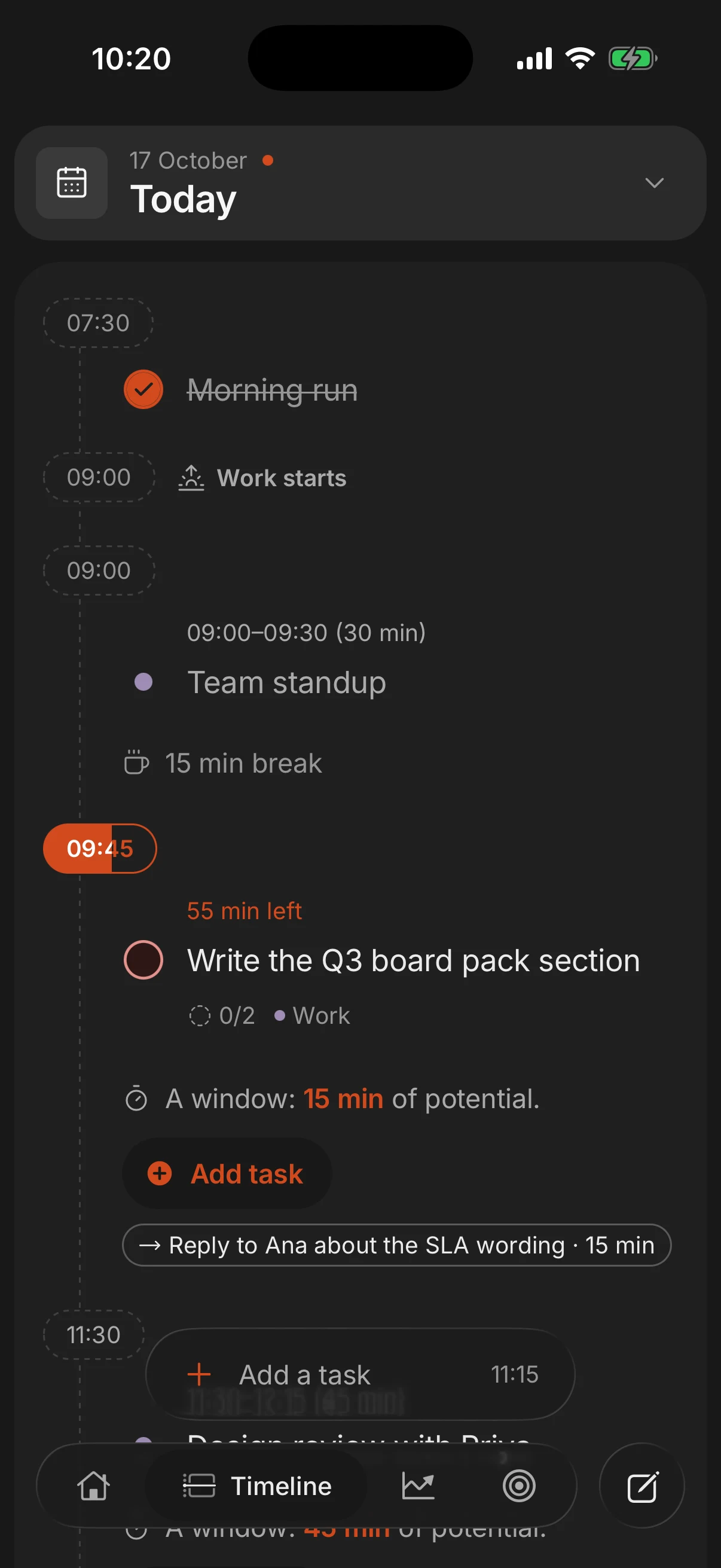
The matrix decides what. A calendar decides when. The simplest rule that works: quadrants 1 and 2 get blocks, quadrant 3 gets one batch, quadrant 4 gets nothing.
- Put today's Quadrant 1 tasks on the calendar first, with an honest estimate of how long each one takes.
- Give Quadrant 2 fixed blocks this week, for example three blocks of 60 to 90 minutes early in the day, before messages pile up. Treat them like meetings you cannot move.
- Batch Quadrant 3 into one or two 30-minute slots, such as late morning and late afternoon.
- Leave about 20 percent of the day free for the Quadrant 1 surprises that will arrive anyway.
Our time blocking guide covers the method in detail, with a sample day.
On paper or in an app
For a one-off sort, paper is perfect: draw a cross, label the boxes, write. For a matrix you keep using, the box matters less than what happens next, which is getting Quadrant 2 onto the calendar.
In Superhive every task can carry a priority on the free plan, and quick add reads it from what you type. Use the highest priority for Quadrant 1 and the next one for Quadrant 2, attach Quadrant 2 tasks to the goal they serve so the reason they matter stays visible, and give them a length so they land on your day as blocks around your events. At the daily shutdown, whatever did not get done rolls to tomorrow instead of disappearing.
Questions people ask
What are the four quadrants of the Eisenhower matrix?
Do (urgent and important), schedule (important, not urgent), delegate (urgent, not important) and delete (neither). Each box tells you what to do with the task, not just how much it matters.
Which quadrant should you spend the most time in?
Quadrant 2. That was Covey's argument: time spent on important work before it becomes urgent means fewer crises landing in Quadrant 1 later.
What if I cannot delegate anything?
Shrink instead. Answer briefly, batch similar requests into one slot, or agree to a later time. The point of Quadrant 3 is to keep it from eating your best hours.
Is the Eisenhower matrix good for students?
Yes, especially in exam season, when deadlines (Quadrant 1) crowd out revision (Quadrant 2). Sort once a week and schedule the revision blocks first; see how to organize your studies.
Who created the Eisenhower matrix?
The idea is credited to Dwight D. Eisenhower. Stephen Covey popularized the four-quadrant version in The 7 Habits of Highly Effective People, published in 1989.
Is it better than a to-do list with priorities?
It does a different job. A priority ranks tasks on one scale; the matrix separates urgency from importance, which is what stops loud tasks from crowding out the ones that matter.
Keep reading
- Time blocking: how to plan your day in blocksTime blocking gives every task a start time and a length on your calendar. How to do it in 10 minutes a day, with an example day and the mistakes to avoid.
- How to break down goals into tasks you actually doBreak a goal into milestones, a weekly pace and one next task with a day and a time. A step-by-step method, a worked example and why most goals stall.
- How to plan your day: a 10-minute routine, step by stepPlan your day in 10 minutes: pick 3 tasks, estimate them and give each a time around what is fixed. With an example day and what to do when the plan breaks.
- How to plan your week: a 30-minute weekly planning sessionWeekly planning in 30 minutes: look back at last week, look ahead, pick 2 or 3 priorities tied to your goals and block time for them. With an example week.