GuidesLast updated 4 November 20268 min read
Daily schedule template: a simple layout to copy, with sample days
A good daily schedule template is not a list of every hour. It is a fixed frame: the same wake-up time, a short planning slot, one or two focus blocks in your best hours, batches for email and small tasks, a buffer, a shutdown and a set bedtime. Copy the template below, shift it to your own start time, and fill the blocks each morning with that day's tasks. Leave about a fifth of the working day unplanned so the schedule survives the first thing that runs over.
What a daily schedule needs
Schedules usually fail because they are too detailed: a plan that names every half hour breaks at the first long phone call, and once it is broken it feels pointless to follow. A schedule that lasts has fewer, bigger parts, each with a job:
- Anchors. Wake-up, start of work, lunch, end of work and bedtime, at the same times every weekday. They hold the day in place, and they are what you keep even on a bad day.
- Focus blocks. One or two blocks of 60 to 120 minutes for the work that matters, in the hours when your head is clearest.
- Batches. Email, messages, calls and admin grouped into one or two blocks of 30 to 60 minutes, so they do not leak into everything else.
- A buffer. 30 to 45 minutes with nothing in it, for whatever runs over. It is the part people delete first and miss most.
- A start and an end. Ten minutes to plan the day and ten to close it, so the template stays tied to your real tasks.
The idea is old. Benjamin Franklin's daily schedule, printed in his autobiography, has the same shape: it opens with the question "What good shall I do this day?", puts two long stretches of work around lunch, and closes by asking what good the day has done.
A daily schedule template you can copy
A weekday for someone working 8:30 to 17:00. Keep the order and the length of the blocks, and slide the whole thing earlier or later to match your day.
| Time | Block | What goes in it |
|---|---|---|
| 7:00 | Wake up | Same time every weekday |
| 7:00 to 8:30 | Morning | Breakfast, exercise, commute or school run |
| 8:30 to 8:45 | Plan the day | Pick up to 3 tasks and give each a time |
| 8:45 to 10:45 | Focus block 1 | The task that matters most, messages closed |
| 10:45 to 11:00 | Break | Stand up, away from the screen |
| 11:00 to 11:30 | Messages batch | Email and chats in one go |
| 11:30 to 12:30 | Meetings or calls | Fixed events, when you can choose |
| 12:30 to 13:30 | Lunch | A real break, not at the desk |
| 13:30 to 15:00 | Focus block 2 | The second task, or lighter work |
| 15:00 to 15:45 | Buffer | Whatever ran over, or nothing |
| 15:45 to 16:45 | Admin batch | Small tasks, forms, errands, replies |
| 16:45 to 17:00 | Shutdown | Check what got done, move the rest |
| 17:00 to 22:30 | Evening | Dinner, people, rest |
| 22:30 | Wind down | Screens away, same bedtime |
Six of the seven and a half working hours are planned: two focus blocks, two batches and an hour of meetings. The rest is the buffer, a break and the two 15-minute slots that open and close the day. That is 80 percent planned, with room for a day that does not go to plan.
Keep the frame, change the contents: the template stays the same every day, the tasks inside the blocks do not.
How to make your own, step by step
- Set the anchors first. Write down when you wake, start, eat, stop and sleep. If you cannot keep a time on four days out of five, it is the wrong time; pick one you can keep.
- Find your best hours. For a week, note when hard work feels easiest. For many people it is the first hours of the morning, for others the late afternoon. Your first focus block goes there.
- Add what is fixed. Classes, standing meetings, the school run, a weekly call. Build around them.
- Place the focus blocks. One block of 90 to 120 minutes is enough for most days. Add a second, shorter one only if your meetings leave room.
- Batch the small stuff. Pick one or two times for email and messages, and one for admin. Outside those times, they wait.
- Leave the buffer in. Put 30 to 45 minutes in the afternoon, when overruns tend to land, and do not fill it in advance.
- Add the start and the end. Ten minutes to plan in the morning (our 10-minute planning routine covers it) and ten to close the day with a shutdown ritual.
- Try it for one week, then change one thing. A template is a draft. After five days you will know which block never happens, and that is the one to move. Revisit it when your week changes, for example in your weekly planning session.
Sample daily schedules for different days
The same frame fits very different lives: someone who works from home, a university student with morning classes, and a parent who works around the school day.
| Block | Working from home | Student | Parent |
|---|---|---|---|
| Wake up | 7:30 | 7:30 | 6:30 |
| Morning | Exercise, a walk at 8:45 | Travel to campus | School run 7:45 to 8:30 |
| Fixed | Calls 11:45 to 12:30 | Classes 9:00 to 12:00 | Meetings 11:00 to 12:30 |
| Focus block | 9:15 to 11:15 | 13:00 to 14:40, two 50-minute rounds | 8:40 to 10:40 |
| Second block | 13:30 to 15:00 | 15:00 to 16:30, the assignment due first | None, the day is short |
| Batches | Messages 11:15, admin 15:30 | Messages and group chats 16:30 | Admin 13:15 to 14:30 |
| Buffer | 15:00 to 15:30 | 14:40 to 15:00 | 14:30 to 14:45 |
| Stop | 16:45 shutdown, laptop closed | 17:00, optional review at night | 14:45 shutdown, pickup at 15:00 |
- Working from home, the risk is a day with no edges. The walk at 8:45 replaces the commute as the signal that work has started, and closing the laptop at 17:00 is the signal that it has stopped.
- As a student, classes are the fixed blocks and the rest of the day is yours to shape. Two 50-minute rounds straight after lunch, while the morning's material is fresh, are easier to keep than one long session at night. Our guide to organizing your studies covers what to put in those blocks.
- As a parent, the working day ends at pickup, not when the work is done, so the focus block is the first thing after drop-off and there is no second one. Planning less is not a compromise here. It is what makes the schedule real.
Adjusting it to the way you live
- Copy the shape, not someone else's hours. A 5:00 wake-up works for people who go to bed at 21:00.
- Night owls. Move everything later, not just the start. If your best hours are 16:00 to 19:00, the focus block goes there and the messages batch moves to the morning.
- Shift work. Anchor the day to the start of your shift, not to the clock, and keep one template per type of shift.
- Meeting-heavy days. Protect one 60-minute block and use the gaps between meetings as batches.
- Weekends. Keep wake-up and bedtime within an hour of your weekday times, and drop the blocks.
Paper, a spreadsheet or an app
Any of these holds a template. The difference is how much work it is to fill it every day.
- Paper or a printout is quick and quiet, but it cannot remind you when a block starts.
- A spreadsheet (Google Sheets, Excel) is easy to copy and adjust, with a tab for each type of day, but nothing in it moves when the day changes.
- Google Calendar can hold the anchors and focus blocks as recurring events next to your meetings, but your tasks live elsewhere and get copied across by hand. Our guide to time blocking in Google Calendar shows how.
- A planner app keeps the tasks and the hours together, so filling a block means giving a task a time, not retyping it.
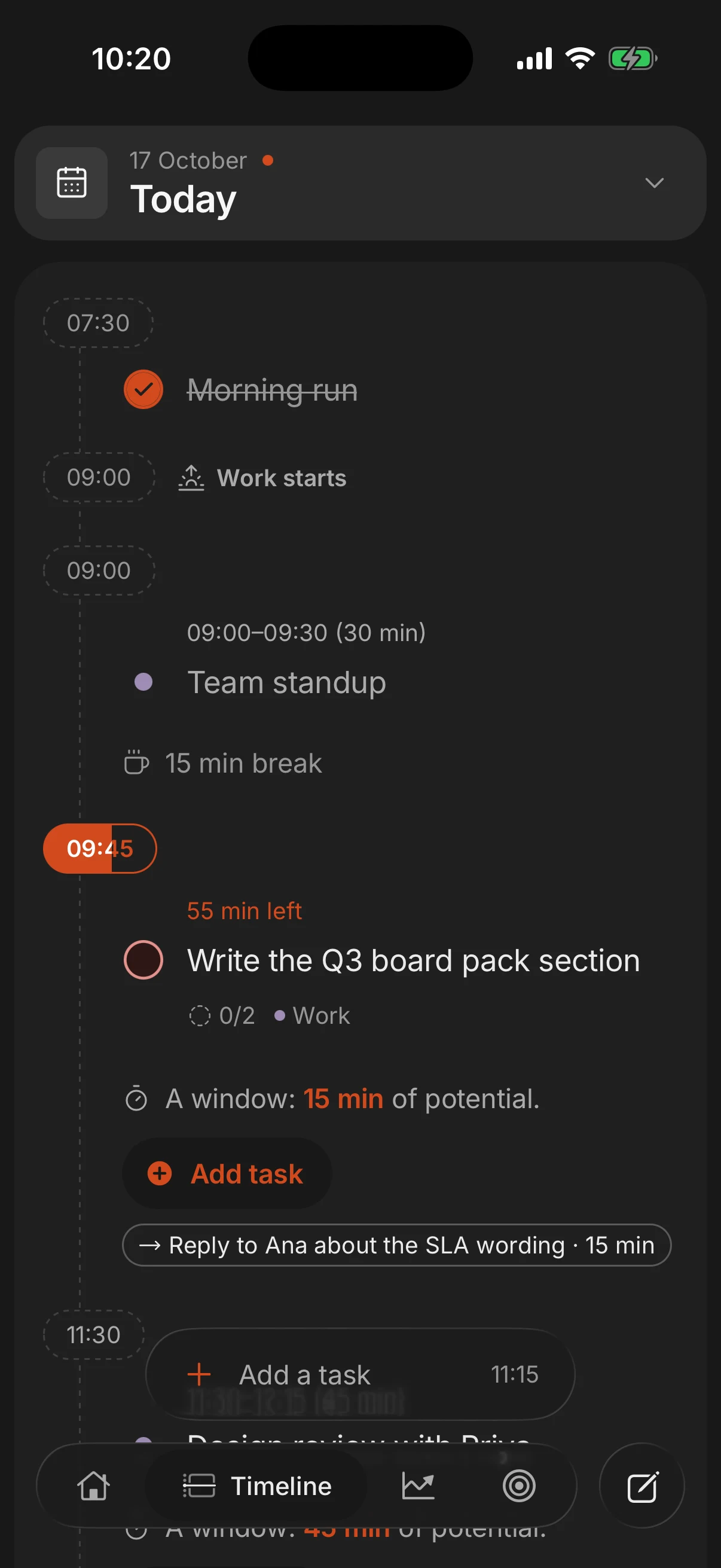
Superhive works the way this template does. Give a task a length and it lands on the day as a block in the free time around your events, and you can set a reminder for when it starts. When you close the day, the daily shutdown moves what did not get done to tomorrow. All of that is free. Pro adds recurring tasks, for the fixed parts of the template, and brings in your Google Calendar so your meetings sit on the same timeline.
Questions people ask
How do I make a daily schedule?
Set fixed anchors (wake-up, start, lunch, stop, bedtime) and add what you cannot move. Put one or two focus blocks in your best hours, batch the small tasks, leave 30 to 45 minutes as a buffer, and fill the blocks with real tasks each morning.
What should a daily schedule include?
Anchors at the same times each day, one or two focus blocks, one or two batches for email and admin, a buffer, and 10 minutes each to plan and to close the day. Meals, exercise and sleep belong on it too.
Should I schedule every hour of the day?
No. Plan about 80 percent of your working hours and leave the rest open, because a schedule with no slack breaks at the first thing that runs over.
What is the difference between a routine and a schedule?
A routine is the order you do things in, like the steps of your morning. A schedule puts those things at times. A daily schedule template is both: a routine with times attached, which you fill with each day's tasks.
Where can I get a free daily schedule template?
The template on this page is free to copy into a notebook, a spreadsheet or Google Calendar. If you want the blocks filled from your task list, a free planner app like Superhive does that on iPhone, Android and the web.
Keep reading
- How to plan your day: a 10-minute routine, step by stepPlan your day in 10 minutes: pick 3 tasks, estimate them and give each a time around what is fixed. With an example day and what to do when the plan breaks.
- Time blocking: how to plan your day in blocksTime blocking gives every task a start time and a length on your calendar. How to do it in 10 minutes a day, with an example day and the mistakes to avoid.
- Shutdown ritual: how to end the workday and stop thinking about workA shutdown ritual is a 10-minute routine that closes your workday. The steps, an example and why it helps you stop thinking about work in the evening.
- How to organize your studies: a study schedule that worksPlan backwards from exam dates, use spaced repetition and active recall, and turn it into a weekly study schedule. With a sample week for exam season.