GuidesLast updated 2 November 20267 min read
How to plan your day with ADHD, and what to look for in a planner
A planner that works with ADHD does a few specific things: it makes time visible instead of abstract, holds everything so your memory does not have to, breaks the day into short blocks, warns you before each transition, and moves unfinished tasks forward instead of piling them up as overdue. Paper, a calendar or an app can all do this. What matters most is that capturing a task takes seconds and the plan sits where you will see it without going looking for it.
Why most planners fail with ADHD
Most planners quietly assume three things: that you will remember to open them, that you can tell how long a task will take, and that you will stick with the system once it stops being new. Those are exactly the areas many people with ADHD describe as hardest: sensing time passing, holding things in mind, getting started, and switching from one thing to the next. A planner that runs on discipline fails in the first busy week. One that does the remembering and the timekeeping for you has a real chance.
What follows are strategies people with ADHD commonly report as helpful. It is practical advice for organizing a day, not medical advice; if ADHD is affecting your work, studies or health, a doctor or psychologist can help with diagnosis and treatment.
Make time visible
Time blindness, a phrase many people with ADHD use, is the sense that there are only two times: now and not now. A list makes it worse, because ten tasks look the same whether they take one hour or ten. The fix is to see time as space.
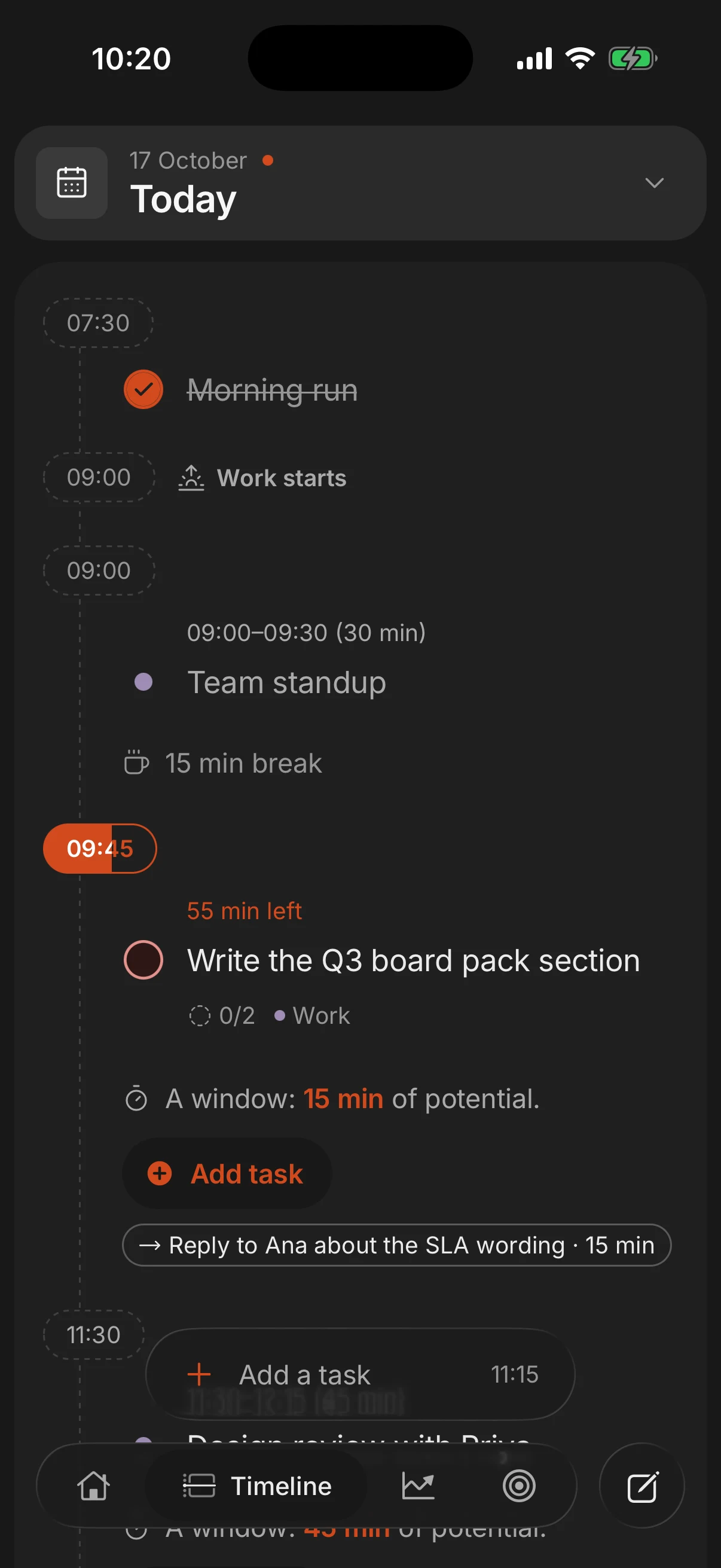
- Plan on a timeline, not a list. Put fixed events in first, then give each task a start time and a length. Seeing "2 free hours" between a meeting and school pickup is very different from seeing an empty afternoon.
- Write a length next to every task, and add at least half to your first guess until you know your real numbers. Then compare: the gap between estimate and reality is the most useful thing you can learn about your days.
- Keep a clock in view, ideally an analog one or a visual timer that shows the remaining time as a shrinking disc. Time you can see is easier to act on than a number.
Get everything out of your head
Working memory is a small whiteboard, and with ADHD it tends to get wiped at the worst moment. Anything you are trying to remember is attention you cannot spend on what is in front of you. So the rule is simple: everything goes into one place, the moment you think of it.
- One inbox. Not a notebook, two apps and sticky notes on the fridge. One place you trust and check once a day.
- Capture in seconds. If adding a task takes more than about 10 seconds, you will not do it when the thought appears, and the thought will be gone. A voice note, a widget or one typed line in plain words all work.
- Write the next action, not the project. "Taxes" is a cloud. "Find last year's tax PDF in my email" is something you can start in the next five minutes.
Plan short blocks, and only a few things that matter
A day with 14 tasks on it is a day where you feel behind by 10:00. Pick one to three tasks that matter today and treat everything else as optional.
- Blocks of 15 to 45 minutes. Long blocks invite drifting halfway through; short ones end before your attention does. A Pomodoro round of 10 to 25 minutes works the same way.
- Make the first step tiny. "Open the document and write one sentence" is far easier to start than "write the report", and once you are moving, keeping going is easier.
- Leave gaps. Put 10 to 15 minutes between blocks for the switch itself, and keep at least a quarter of the day unplanned.
This is time blocking adapted for ADHD: shorter blocks, more slack and fewer of them.
Alerts before transitions, and company to get started
Switching is where many ADHD days go sideways: hyperfocus on one thing makes you miss the next, or the gap between two things quietly swallows an hour.
- Two alerts, not one. One 10 to 15 minutes before, to wrap up and find your keys, and one at the start. A single alert at the start time is already late for anything that involves leaving the house.
- Alerts you will actually notice. If your phone lives on silent, use the lock screen, a watch, or a real alarm for the few things that cannot be missed.
- Body doubling. Working alongside another person, in the same room, on a video call or in an online coworking session such as Focusmate, makes it easier for many people to start and stay on a task. The other person does not help; they are simply there.
- Remove the easiest exit. If the phone is where the time goes, block the worst apps during work blocks. Our guide on blocking distracting apps on iPhone covers the free settings.
Let unfinished tasks roll over, without the red pile
Many task apps punish a bad day: everything you did not finish turns red and waits as overdue. After a few bad days the list becomes something you avoid opening, and that is usually how a planner gets abandoned.
- Close the day in five minutes. Look at what got done, move what is left to tomorrow or a specific day, and delete what no longer matters. This is a shutdown ritual, and it is what keeps the list honest.
- Notice what keeps moving. A task that rolls over three days running is too big or not important. Split it or drop it.
- When the system breaks, restart from today. Everyone falls off. Do not try to process two weeks of backlog first: plan today, and pick old items back up as they become relevant.
- Expect to change systems. Novelty helps many people with ADHD engage. Switching tools every few months is fine as long as the basics stay the same.
Make time visible, keep nothing in your head, plan short and few, warn yourself before every switch, and forgive yesterday.
What to look for in an ADHD planner
Whether you choose paper or an app, check it against this list:
- Capture in seconds, wherever you are.
- Hours you can see, not just a list.
- Reminders you will notice, before things start and when they start.
- Unfinished tasks move forward without turning into a wall of overdue items.
- The plan is visible without opening anything: on the Home Screen, the lock screen, or a sheet of paper on the desk.
- Little setup. If it needs an afternoon of configuring, it is a project, not a planner.
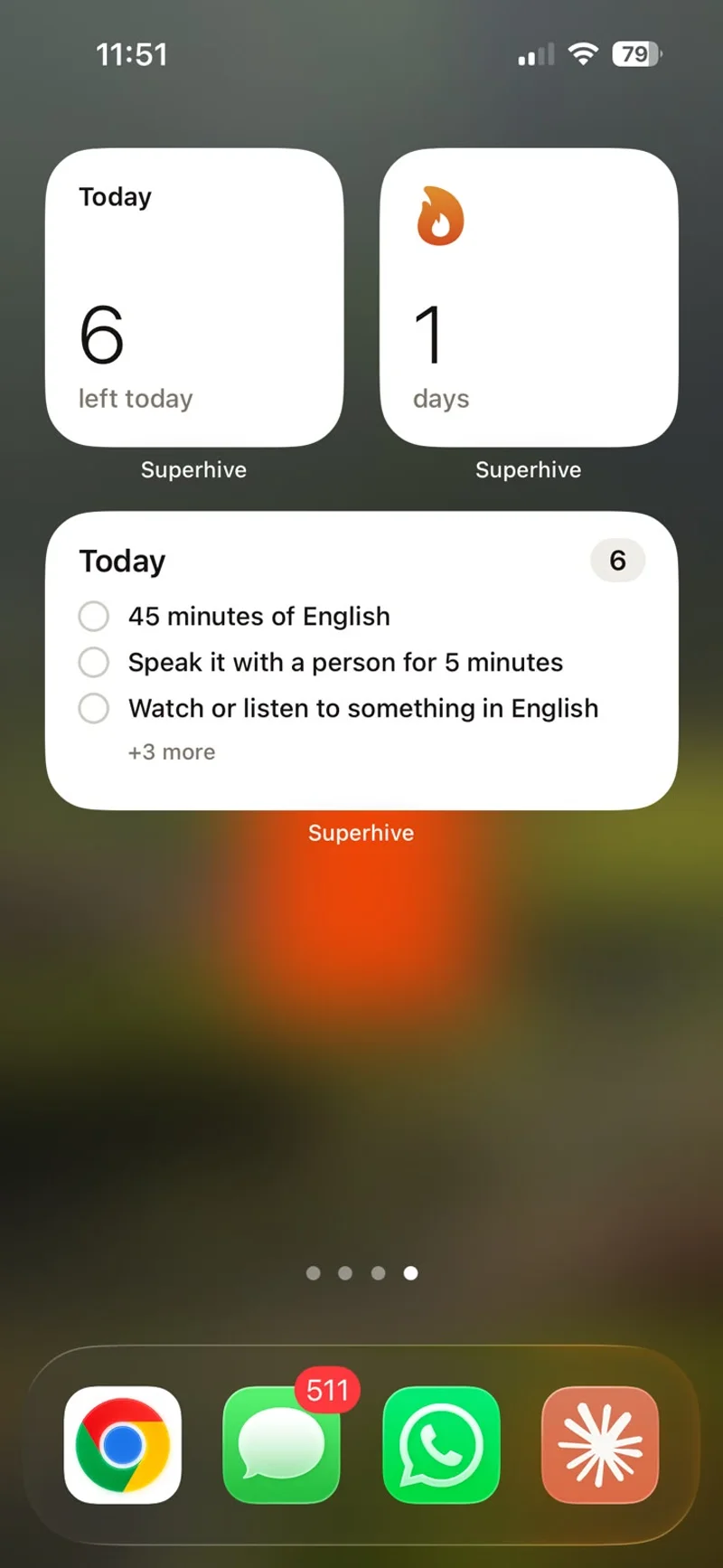
Superhive was built around several items on that list. You type a task in plain words, like "dentist tomorrow 10am", and the date and time are read for you. Tasks with a length sit as blocks in the free time between your events, reminders arrive on your phone, and a daily shutdown moves what is left to tomorrow instead of marking it overdue. On iPhone, the Today widget keeps the plan on your Home Screen. Pro adds three things that help here: custom notifications (a second alert before a task starts, for example), replan (everything left undone moves to another day at once) and Super focus, which blocks apps on iPhone. It is a planning tool, not a treatment: it handles the logistics so your attention can go to the work.
Questions people ask
What is the best planner for ADHD?
The one you are still opening in week three. Look for capture in seconds, a view of the hours in your day, reminders you notice, and unfinished tasks that move forward without piling up as overdue.
Is a paper planner or an app better for ADHD?
Paper is always visible and has no notifications to get lost in; apps remind you and roll unfinished tasks over automatically. Many people use both: an app for capture and alerts, paper for today's short list.
What is time blindness?
It is a phrase widely used in the ADHD community for difficulty sensing how much time has passed or how long something will take. Clocks in view, timers and a timeline instead of a list turn time into something you can see.
What is body doubling?
Working alongside another person, in the same room or on a video call, while each of you does your own task. Many people with ADHD find it easier to start and keep going that way.
How do I stick to a planner with ADHD?
Keep the setup small, close each day in five minutes, and when you fall off, restart from today instead of catching up on the backlog. Changing tools now and then is fine if the habits stay.
Can an app help with ADHD?
A planning app can help with the logistics: remembering, seeing time, starting and switching. It does not treat ADHD; diagnosis and treatment are for a doctor or psychologist.
Keep reading
- Time blocking: how to plan your day in blocksTime blocking gives every task a start time and a length on your calendar. How to do it in 10 minutes a day, with an example day and the mistakes to avoid.
- Shutdown ritual: how to end the workday and stop thinking about workA shutdown ritual is a 10-minute routine that closes your workday. The steps, an example and why it helps you stop thinking about work in the evening.
- How to block distracting apps on your iPhone to focusBlock distracting apps on iPhone for free with Screen Time and Focus, why those limits are so easy to skip, and when a dedicated app blocker is worth it.
- The Pomodoro technique: how it works and who it suitsThe Pomodoro technique: 25 minutes on one task, a 5-minute break, a longer one after four. How to do it, the 50/10 and 90-minute variations, and who it suits.