HelpLast updated 9 October 2026
Join the iPhone beta
Superhive is on the App Store; for that, see Install Superhive free on iPhone. This guide is for beta testers: TestFlight, Apple's app for betas, gets you new builds before everyone else. Same account, same tasks, same goals.
You need
- An iPhone on iOS 17 or newer. On iPad or Mac, use the web version for now; it is the same account.
- The Apple Account you use for the App Store, signed in on that phone.
Install it
- Get TestFlight from the App Store. It is free and made by Apple. Skip this if you have it.
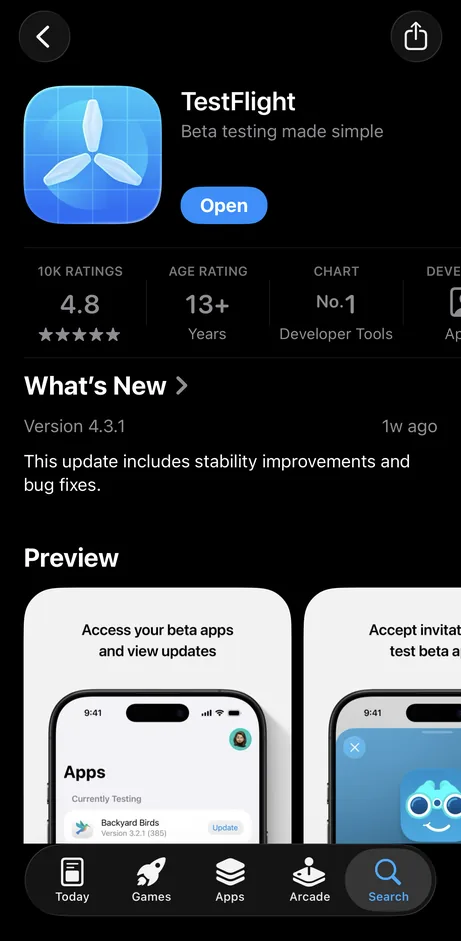
- Tap this link, on the phone:
- TestFlight opens. Tap Accept, then Install. You end up here:
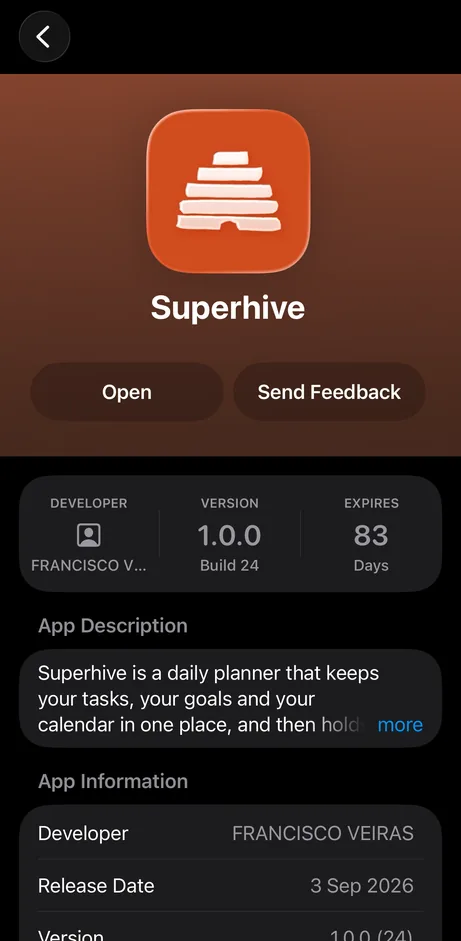
- Open Superhive. Sign up, or sign in if you already have an account.
Reading this on a computer? Send yourself the link, or open this page on the phone. If the link opens in Safari instead of TestFlight, you skipped step one.
Updates
We ship new builds often. TestFlight updates the app on its own unless you turned that off. To check, open TestFlight, tap Superhive and look for Automatic Updates. There is an Update button there too.
A TestFlight build expires after 90 days. There is always a newer one before that, so you will not hit it.
Found something?
Take a screenshot inside the app. iOS will offer to send it to us through TestFlight; write a line about what went wrong and send it. Or just email hello@superhive.app. We read everything.
If the app crashes, TestFlight asks whether to send the report next time you open it. Please say yes.
Leaving
Open TestFlight, tap Superhive, tap Stop Testing. The app goes away; your account and your data stay.